
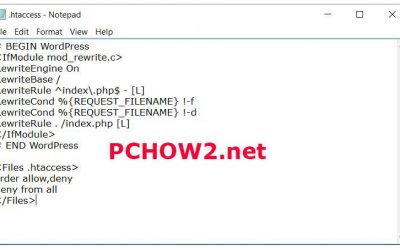
HTACCESS WORDPRESS | HTACCESS DEFAULT WORDPRESS
When WordPress is installed a default WordPress htaccess is generated and placed in the site root. Life is good. However as time goes by it’s possible for many plugins to write to the .htaccess file. Naturally that also means errors can be introduced to the .htaccess file. If that’s not bad enough there is the human factor. The .htaccess can serve many purposes like blocking or redirecting ip addresses, disabling hot linking of images or a host of any other useful functions. Upon review my htaccess was filled with outdated and irrelevant code. Something in my WordPress .htaccess file was causing my the DIVI and StudioPress themes to break and not display correctly. Rather than waste time trying to find the exact culprit I decided it would be easier to start with a new default WordPress .htaccess file
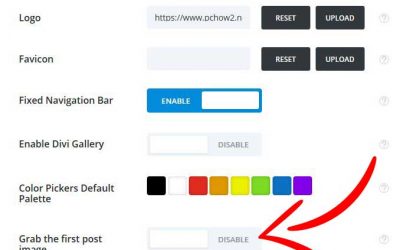
DIVI Remove Featured Image | Extra Remove Featured Image
It’s no secret Elegant Themes DIVI and Elegant Themes Extra are two of the best and most powerful and flexible WordPress themes available. That said no wordpress theme can be perfect for every situation and little tweaks and adjustments need to be made. The problem is the fix or adjustment isnt always always obvious or built in the the Elegant Themes product. This page addresses two these items. By default both DIVI and Extra place the featured image at the top of posts or in the case of Extra at the top of projects.
HOW TO REMOVE VIRUS FROM COMPUTER 2016
HOW TO REMOVE VIRUS FROM COMPUTER 2016 1 - Download ,Install and run SUPER ANTISPYWARE PORTABLE SCANNER PERSONAL EDITION. The DOWNLOAD BUTTON WILL NOT APPEAR until you agree to the license terms. You may be prompted to allow SUPERANTISPYWARE to update when you...
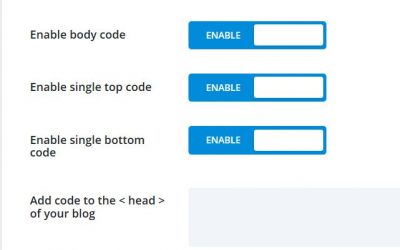
CHANGE DIVI BLOG READ MORE TEXT
CHANGE DIVI BLOG READ MORE TEXT
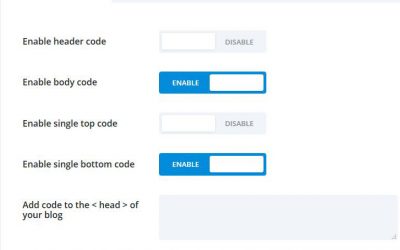
REMOVE ELEGANT THEMES BRANDING
REMOVE ELEGANT THEMES BRANDING – Many Elegant Themes DIVI users complain about the inability to remove the Elegant Themes branding from the footer in DIVI. I stumbled across the code below. Simply copy and paste it in your DIVI>Theme Options>Integration. Click “Enable Body Code” and paste the code in the “Body” text field. It’s free and Easy.
CANT INSTALL OFFICE 365
CANT INSTALL OFFICE 365 – Recently I had an issue trying to convert a workstation from Office 365 2013 to Office 365 2016. The Office 365 2013 uninstalled without a hitch but I was unable to install the newest version of Office 365 or reinstall the original version and it was quite frustrating. In the end I ended up on the phone with Microsoft who in turn had several technicians viewing my screen. It took nearly 3 hours to sort the issue out and get Office 365 2016 installed and functioning.We performed a lot of steps unsuccessfully. In the end the fix was simple.
Windows 10 Failed in SAFE_OS phase
Solve “The installation failed in SAFE_OS phase with an error during INSTALL_RECOVERY_ENVIRONMENT operation OxC1900101-ox20004se” that causes the Windows 10 Upgrade to hang
Elegant Themes Divi – The Search is Over
Elegant Themes Divi
HTML5 Tutorial
HTML5 Tutorial W3Schools has excellent HTML5 tutorials at their website. What really makes the tutorials really useful is the ability to try the various HTML5 Tutorial elements live with their "Tryit" feature.
The Trust Relationship Between This Workstation And The Primary Domain Has Failed
The Trust Relationship Between This Workstation And The Primary Domain Has Failed The Trust Relationship Between This Workstation And The Primary Domain Has Failed Recently a remotely working coworker began to experience some issues with his Dell Latitude E 4310...
Best Hosting

